Creating a profile in Genesys

Dec 16, 2022
 3
3
Creating an audio device profile
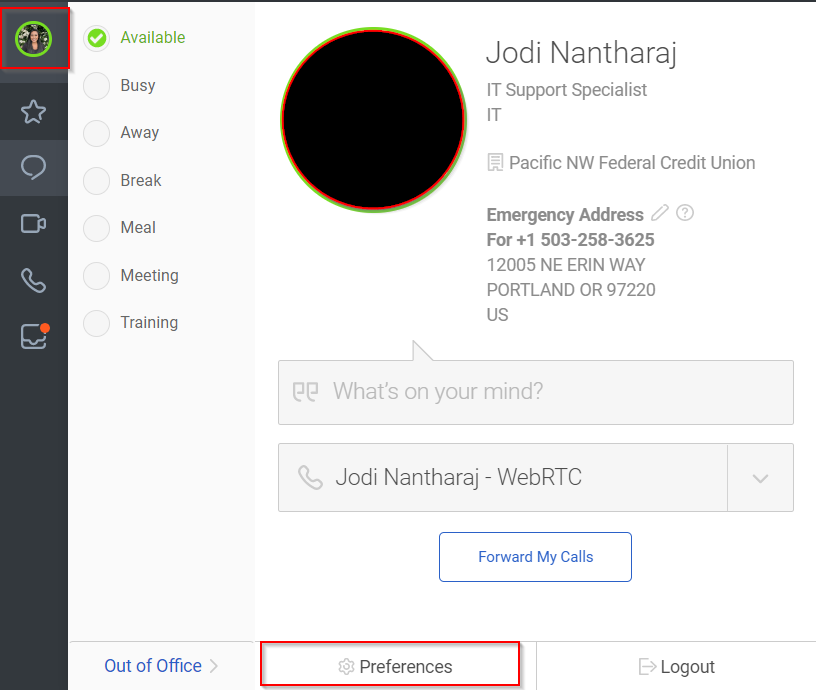
Once you log into Genesys, from the sidebar click on your picture then click on Preferences.
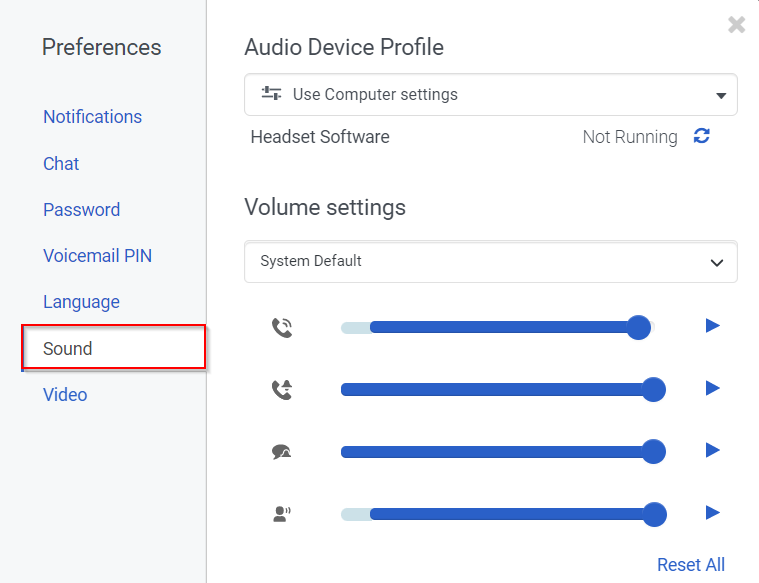
Click the Sound tab on the left.
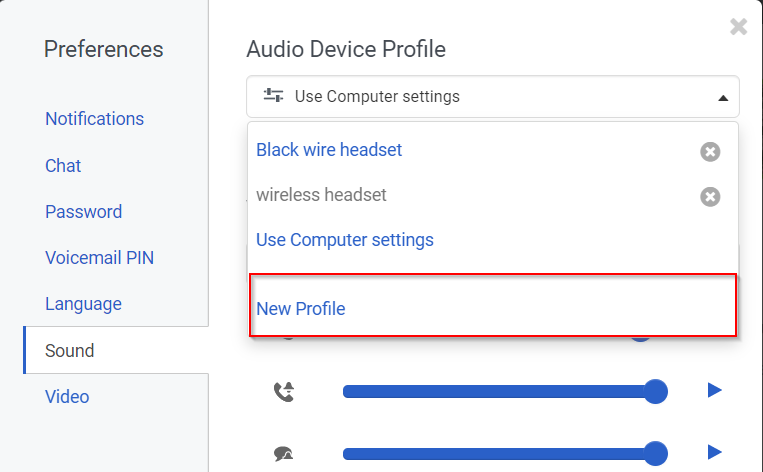
Under the Audio Device Profile dropdown, click on New Profile
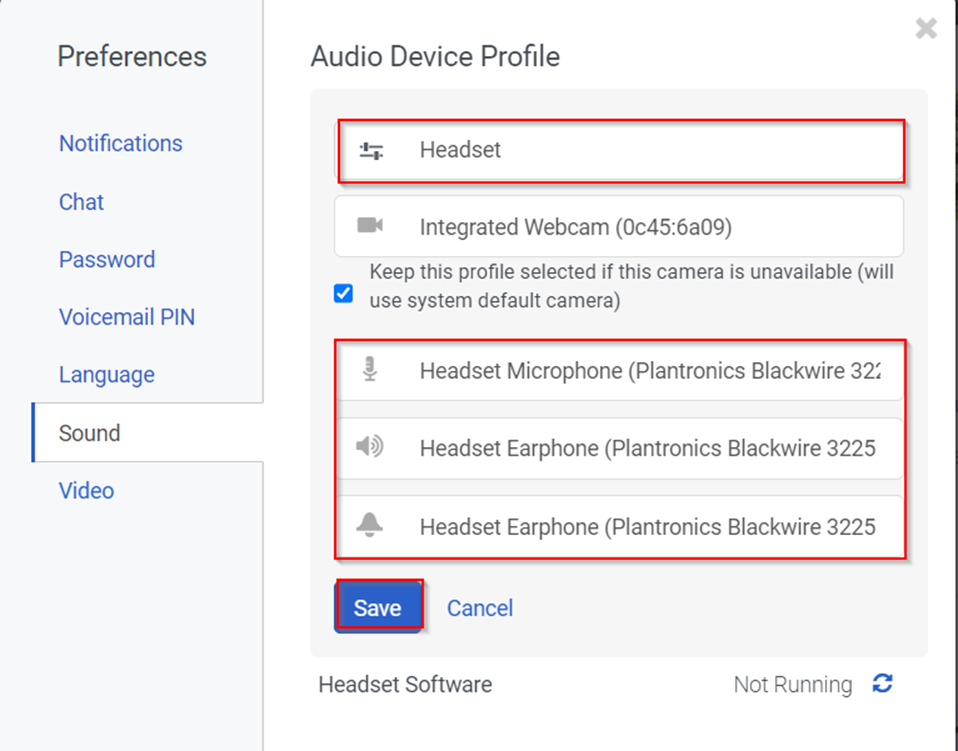
Type the name for your new profile. Select a microphone, speaker, and speaker for notification then click save.