How to Map Drive for USC / FS0

Aug 15, 2023
 30
30
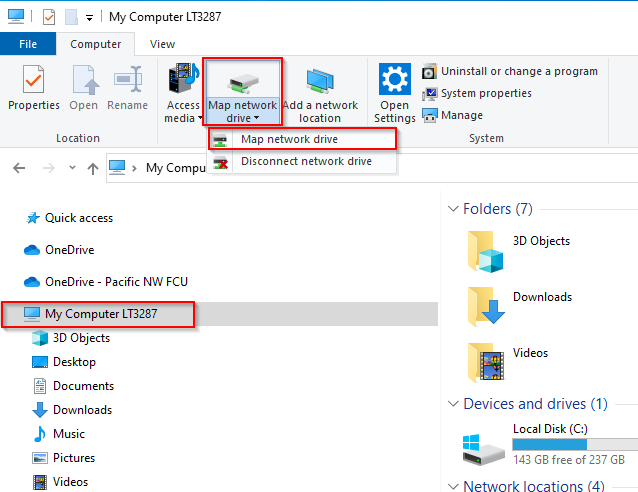
Open File Explorer. Click on “My Computer”. Then, on the computer tab, select “Map network drive” > “Map network drive”.
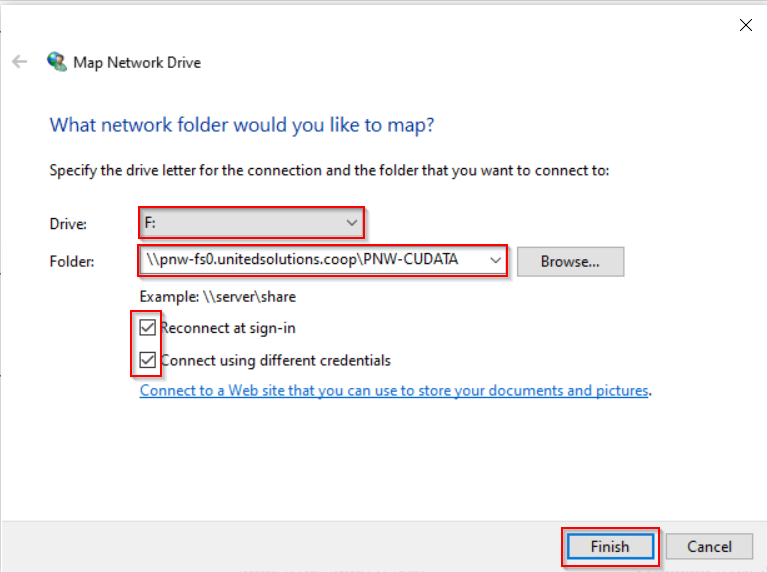
Select an available drive letter, and type \\pnw-fs0.unitedsolutions.coop\PNW-CUDATA as the folder path. Be sure both boxes are checked: “Reconnect at sign-in” and “Connect using different credentials”. Click Finish. An example is shown below:
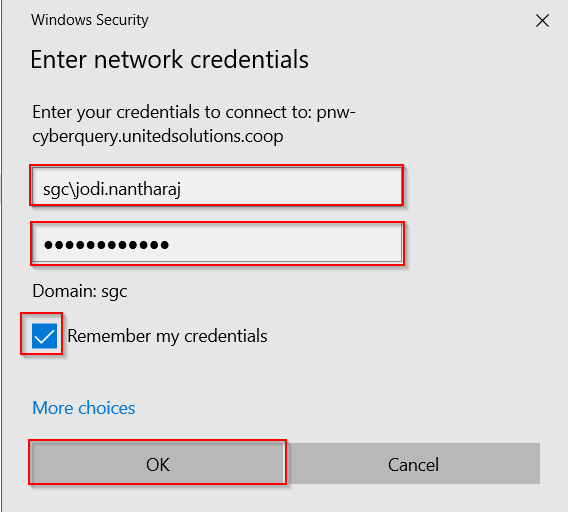
It will prompt you to enter your credentials for USC. Enter your username (sgc\firstname.lastname) and password. Check the box for “Remember my credentials”. Click OK.
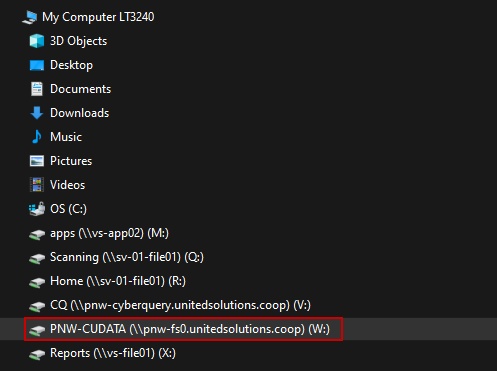
The drive should now appear on the left side of file explorer.