


Daily Work Scanning Procedure

Aug 24, 2023
 7
7
1. Open the Nautilus application.

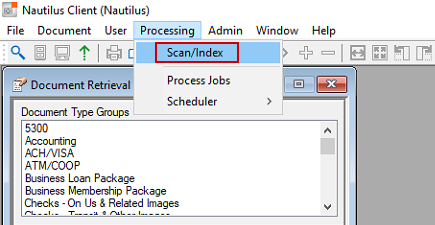
2. Select Processing > Scan/Index.
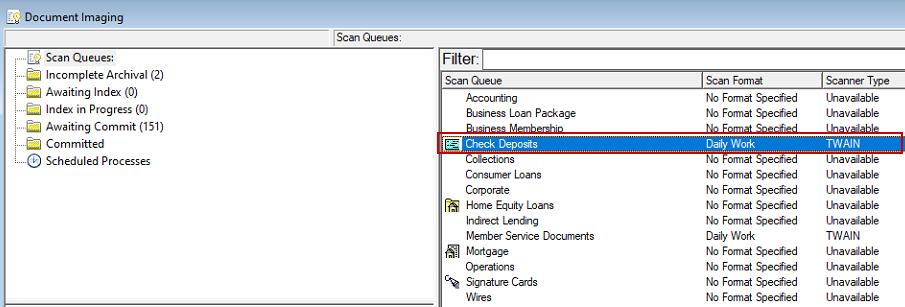
3. Double click the "Check Desposits" scan queue.
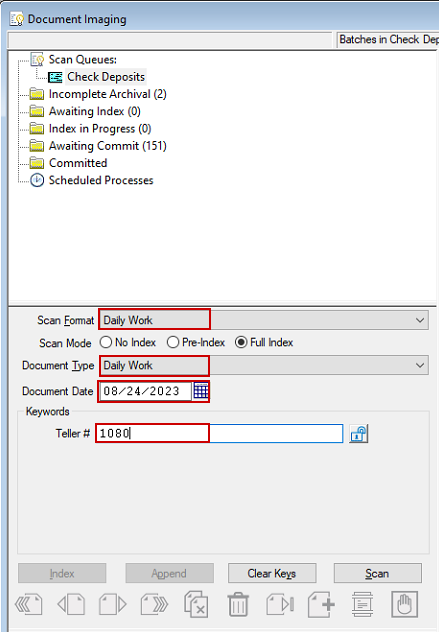
4. Verify the date and teller # match the receipts. Scan format and document type should be "daily work".
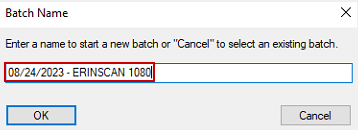
5. Change the date to match the receipts and add the operator number to the batch name and click ok.
6. Click scan. When done scanning click cancel > no > ok. You may need to repeat this step.
7. After receipts are scanned click on awaiting commit.
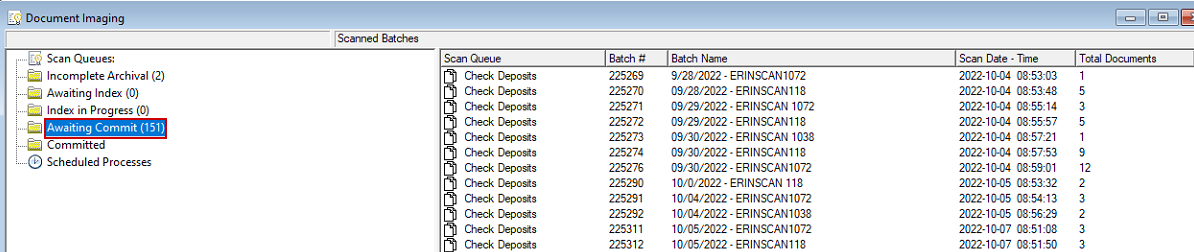
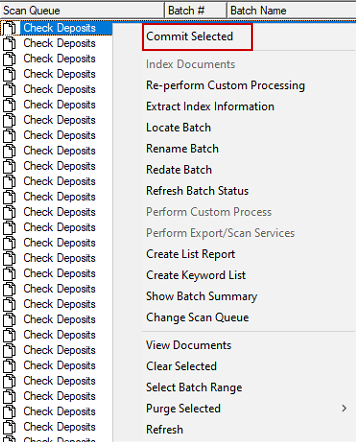
8. Right click on the batch you just scanned and click "Commit Selected".
9. Done.

