Printing envelopes

Apr 18, 2024
 1
1
Settings to print envelopes:
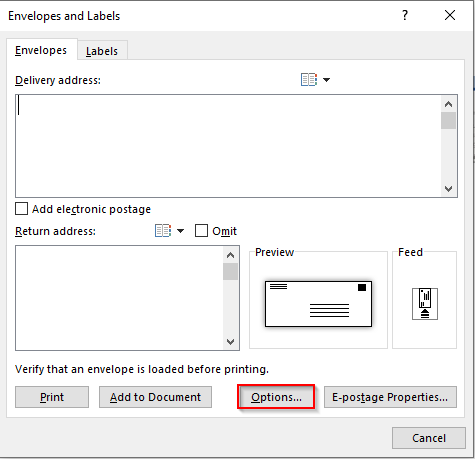
In word, click the Mailings tab then click on Envelopes.

Click on Options.
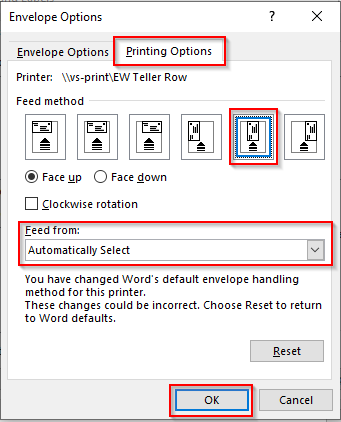
Click on the Printing Options tab. Select the feed method then select the correct tray from the dropdown on the Feed from box. Click OK.